Introduction
This write up will explain what many of the key components of a distro are and how they work. Each component will be introduced in a chronological fashion, according to when they would be started on your computer. While I might have to deviate from this style on occasion, I’ll try my best to keep things orderly and concise. I chose to do this write up in chronological order because I think it’s a unique and engaging way to introduce someone to what makes their Linux distribution whole.
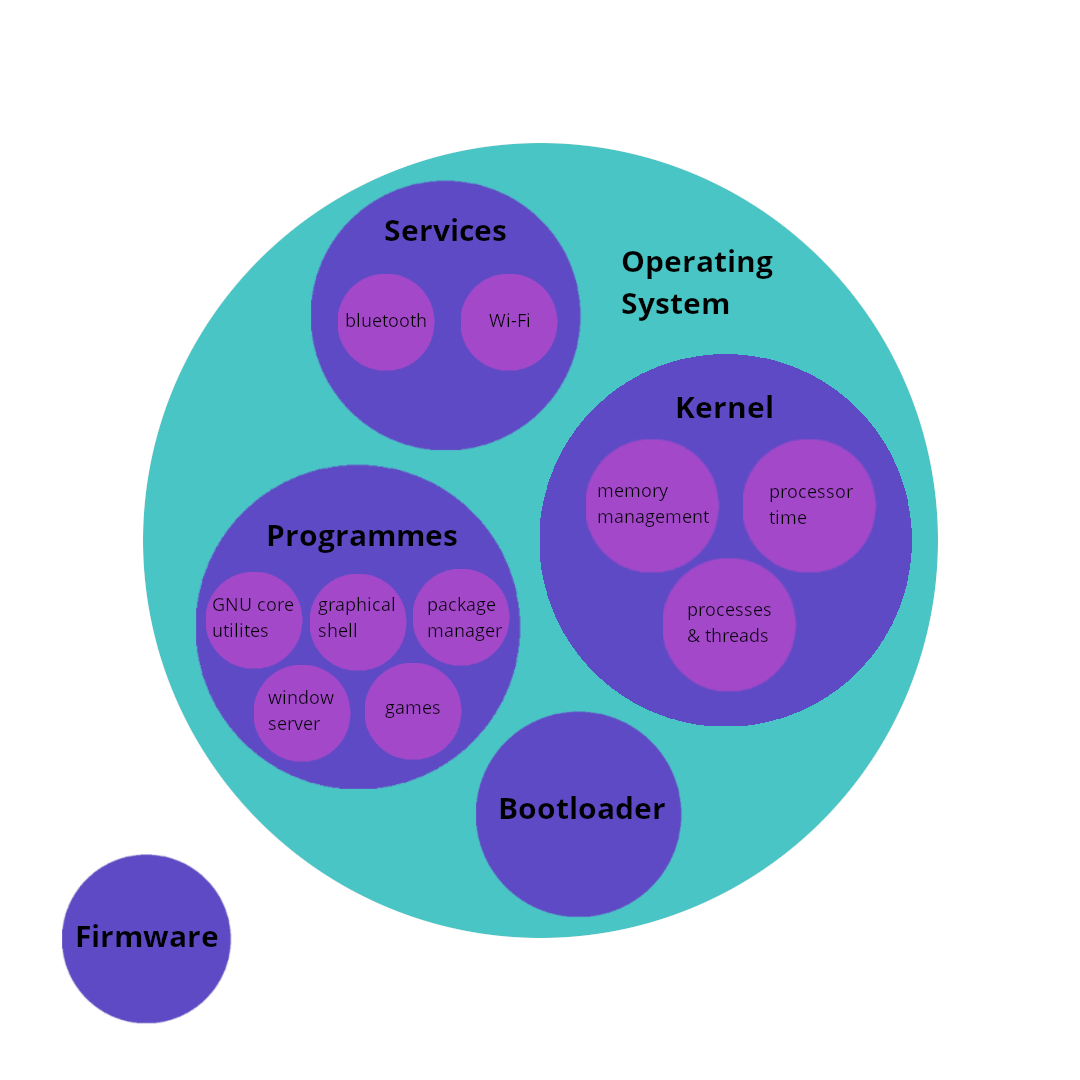 A diagram depicting the relationship between the different components of Linux.
Before I attempt to answer this question, we have to define the word Linux, as it can mean one of two things: Linux can refer either to the Linux kernel or a Linux distribution (aka distro). The kernel is only part of a full operating system (OS) where a distribution, or distro, is the entire OS including the kernel. Ubuntu is an example of a distro. You might hear the phrase “GNU/Linux” being thrown around. GNU’s Not Unix (GNU) is the group that created many of the programs essential to any distro. Nowadays, when someone brings up GNU/Linux, its for a meme.
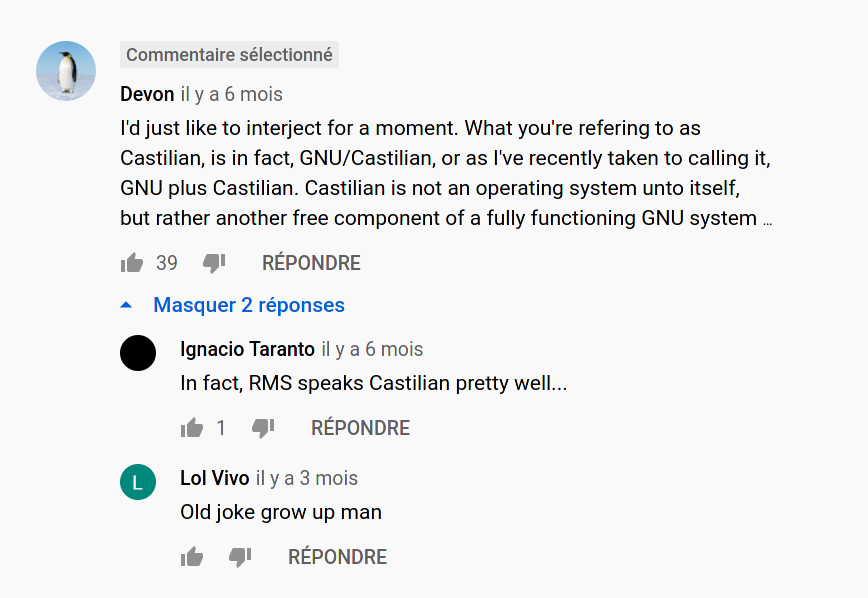 One of the many jokes around the use of GNU/Linux.
Firmware
The instant you power on your computer, firmware embedded in the motherboard powers and tests many of the devices in your computer including (but not limited to) the CPU, system memory (i.e. RAM), and storage devices (i.e. SSD/HDD). For most modern PCs, the Unified Extensible Firmware Interface (UEFI) is the specification from which your motherboard’s firmware is built to. This firmware ensures that all available hardware devices are functional and ready for the operating system (OS) before loading the bootloader programme into your computers main memory. This firmware provides a myriad of features including the ability to act as the bootloader.
*UEFI is frequently misidentified as the **Basic Input Output System (BIOS)specification which served a similar purpose to UEFI but is in fact a different specification all together.*
Bootloader
The GRand Unified Bootloader and is one of the more popular of bootloaders for starting Linux and can handle other operating systems like Windows, macOS, and FreeBSD. GRUB acts as the middleman between the computers firmware and OS by providing a user interface for selecting the desired operating system. The job of the bootloader is essentially to start the kernel’s initialization process and hand the job of startup over to the kernel.
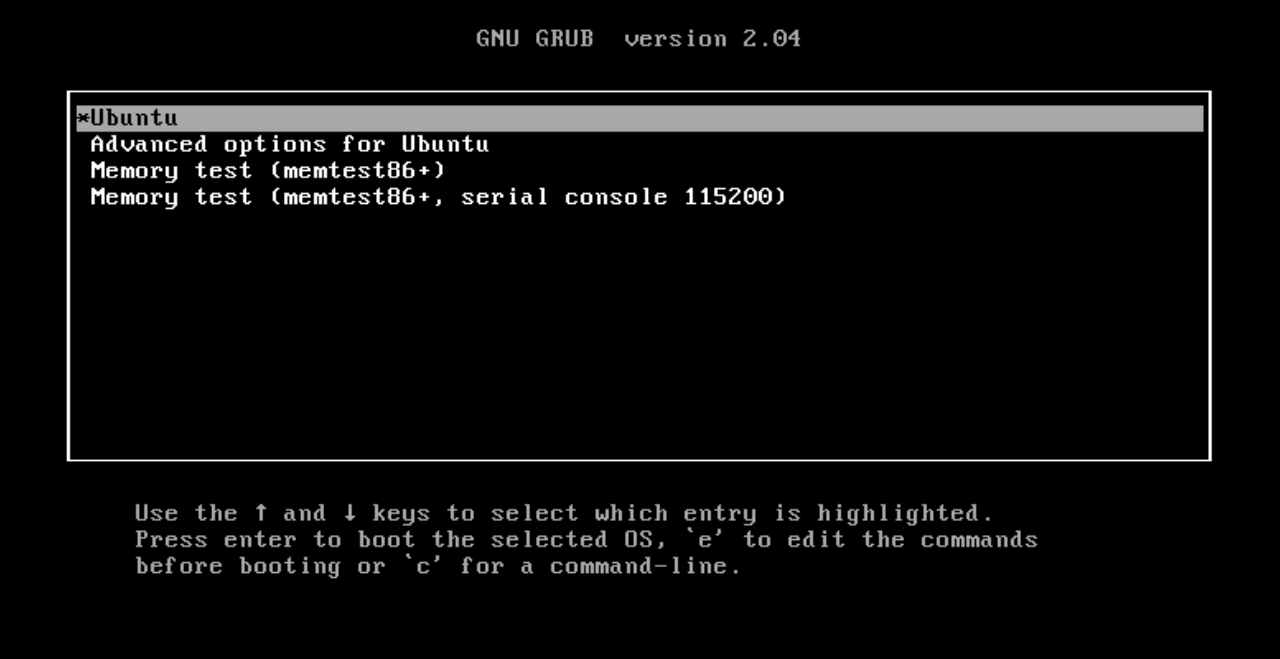 The basic GRUB boot menu.
Kernel
The kernel is a large programme that manages all resources available to the operating system. Other programmes can request resources from the kernel like processor time, memory space, and peripheral information (e.g. mouse position or monitor resolution). The kernel is also responsible for scheduling processes and threads created by programmes so multiple programmes can run at once or a single programme can use the hardware more effectively. A big feature of the Linux kernel is the ability to add functionality through the use of modules. These modules can be built into the kernel or loaded after start-up to provide increased hardware support and extra software features.
The Linux kernel has its own initialization process. Once the bootloader loads the kernel into main memory, the kernel can start managing the properties mentioned previously. During this stage, the kernel will also expose the filesystem so that programmes like the service manager can be started.
System Services
Services are programmes used to manage the functionality of a subsystem of the OS. For example, the bluetooth service manages the computer’s connection to bluetooth devices so the devices can, for example, connect and disconnect from the computer automatically. The programme, systemd, is responsible for managing system services and is the default service manager on many Linux distributions. systemd will start services like wifi, bluetooth, pcie devices (e.g. a GPU) and USB devices. systemd manages all of these services in the background so that the user doesn’t have to.
Network Manager
Connecting your computer to a network can be a complicated task. There are several components to managing this connection that are delegated to the network manager service. For example, if you want to connect to your local wifi network, the network manager would establish the connection between your router and computer, save the credentials for the network, and reconnect to that network upon reboot. The network manager can also help shape the traffic coming into and leaving out of your computer. As another example, if you want to listen to music on Spotify while playing an online game, the network manager will have to delegate the data from Spotify and the game simultaneously so your interactions with both applications appear seamless.
Bluetooth
The role of the bluetooth service is quite similar to the role played by the network manager service. Both services must be able to establish and maintain connections between a client and a server while manageing multiple data streams. While the protocols involved are different, the goals are the very similar.
Programs
Desktop Environment
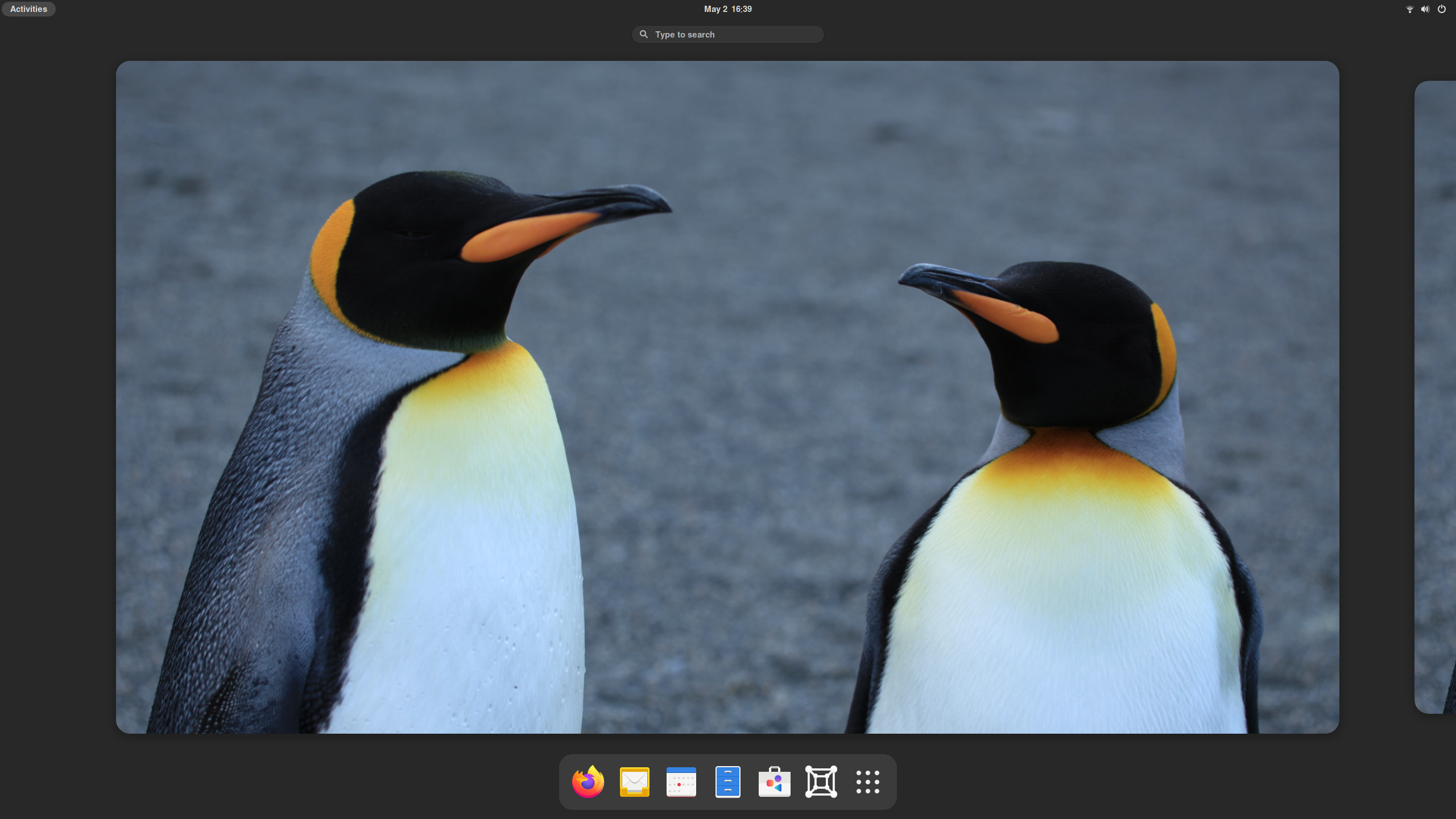 An example of the Gnome 40 desktop environment.
A desktop environment is a collection of software that provides all the functionality expected with a GUI. This software stack can includes a window server, a graphical shell, and a package manager. Gnome, KDE, and XFCE are among the most popular desktop environments
Window Server
The window server is tasked with managing the windows on your screen. User input from a mouse or a keyboard is communicated to the window through the window server. Feedback from the window is also communicated to the user through the winow server. X11 and Wayland are two very popular window servers; X11 has been the traditional window server for many years while Wayland is set to replace it.
Graphical Shell
The graphical shell is the collection of programmes responsible for drawing the windows on your screen. Everything from the shape of buttons to the type of font used to the animations are produced by the graphical shell. Linux provides an incredible amount of customization on this front. Many features of a graphical shell can be changed like the colours of the menus and the sounds made when you get an email.
Package Manager
A package manager is the software that facilitates the download and installation of other software. Each Linux distribution typically maintains several software repositories from which a package manager can retrieve software where the differentiating factor is the presents of closed source or copyright material within the software. For example, Ubuntu provides access to four distinct repositories through their package manager, Advanced Packaging Tool (APT). The following is a list of the default repositories packaged with Ubunutu (taken from Canonical’s website).
- Main - Canonical-supported free and open-source software.
- Universe - Community-maintained free and open-source software.
- Restricted - Proprietary drivers for devices.
- Multiverse - Software restricted by copyright or legal issues.
GNU coreutils
The GNU core utilities provide the command line programmes essential to any Linux distro. This includes programs like pwd which prints the path to your working directory or grep which finds patterns in a stream of text. Although the prevelence (to the typical user) of these programmes have been supplanted by Graphical User Interface (GUI) based software, the GNU core utilities still provide incredible functionality especially when chained together through the use of pipes or redirection. For example, the programme cat without any arguments will output a file’s contents to the terminal. With pipes, the user can feed the output of cat to another programme like grep which can then find a specified string of words from the file’s contents.
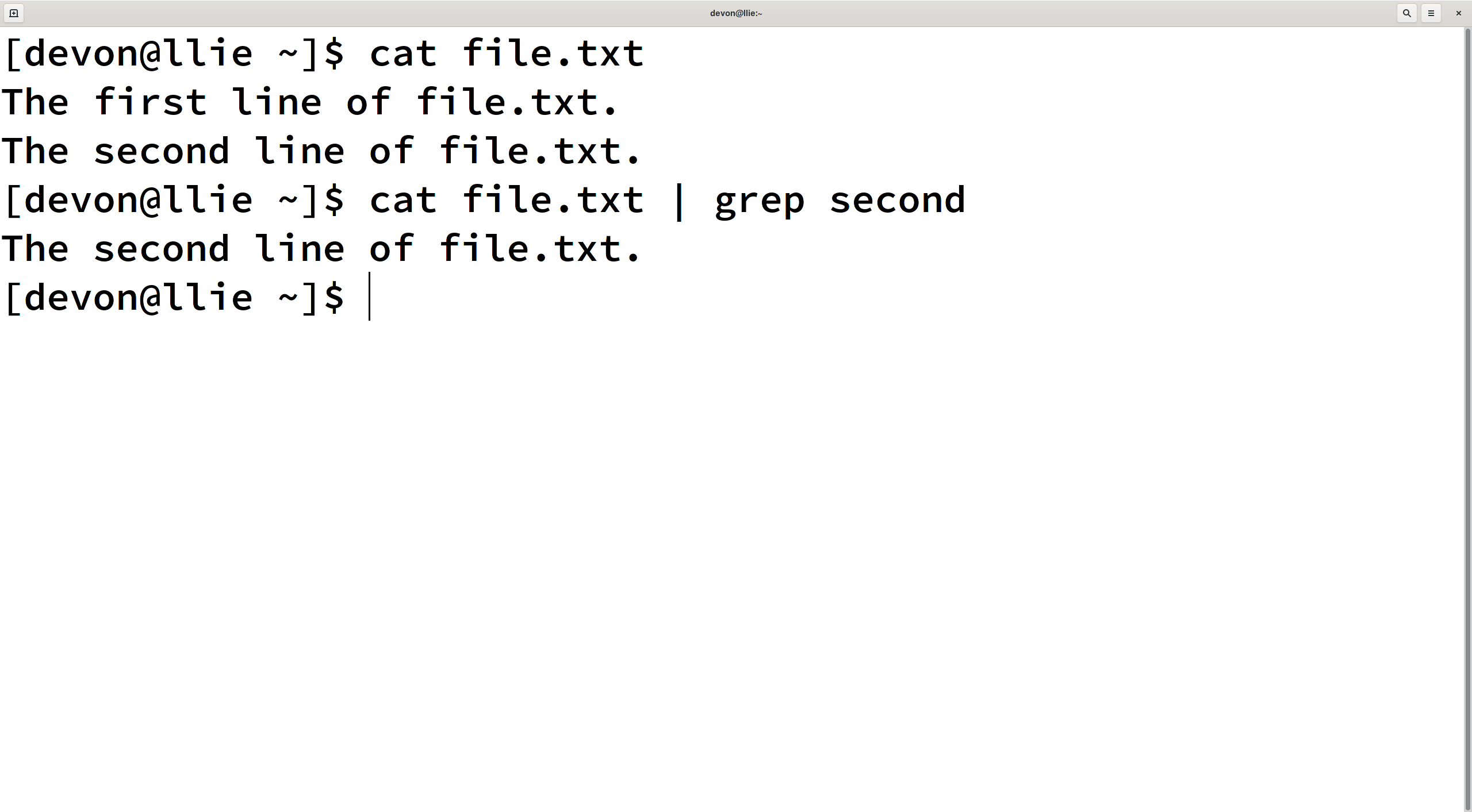 A terminal with the output of cat with file.txt as the chosen file piped into grep with second as the chosen pattern.
Closing
I hope this write up provided a helpful introduction to some of the key components of a Linux based OS. Although it was by no means exhaustive or complete, this introduction can serve as the basis for further exploration into Linux and all it has to offer. Thanks for reading!